
Major Meal Manager
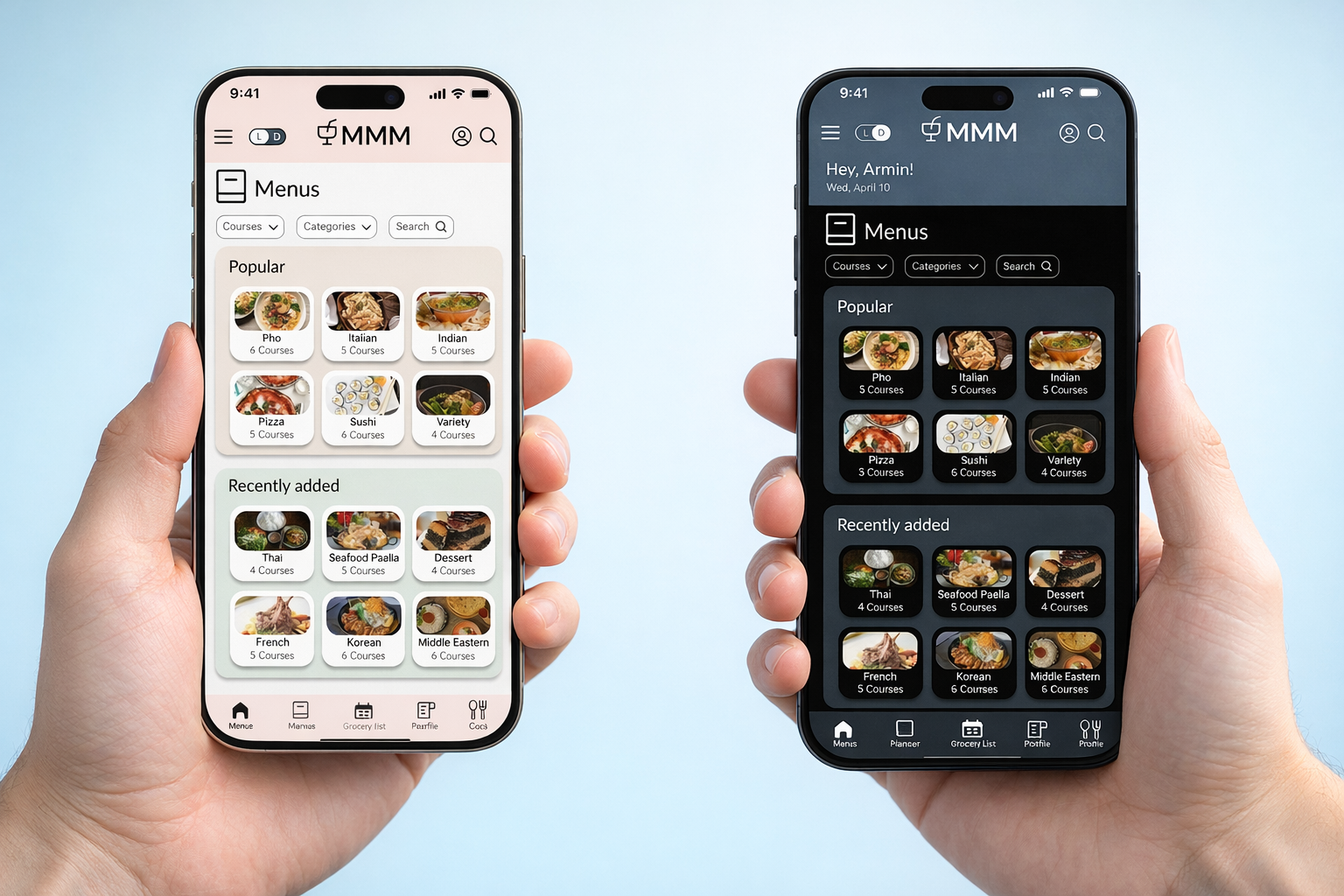
Multi Course Meal Planning App
Phone application for planning multi-course meals, including menu selection, grocery list generation, and cooking instructions.
Role
UX / Product Designer
Team
Solo Project
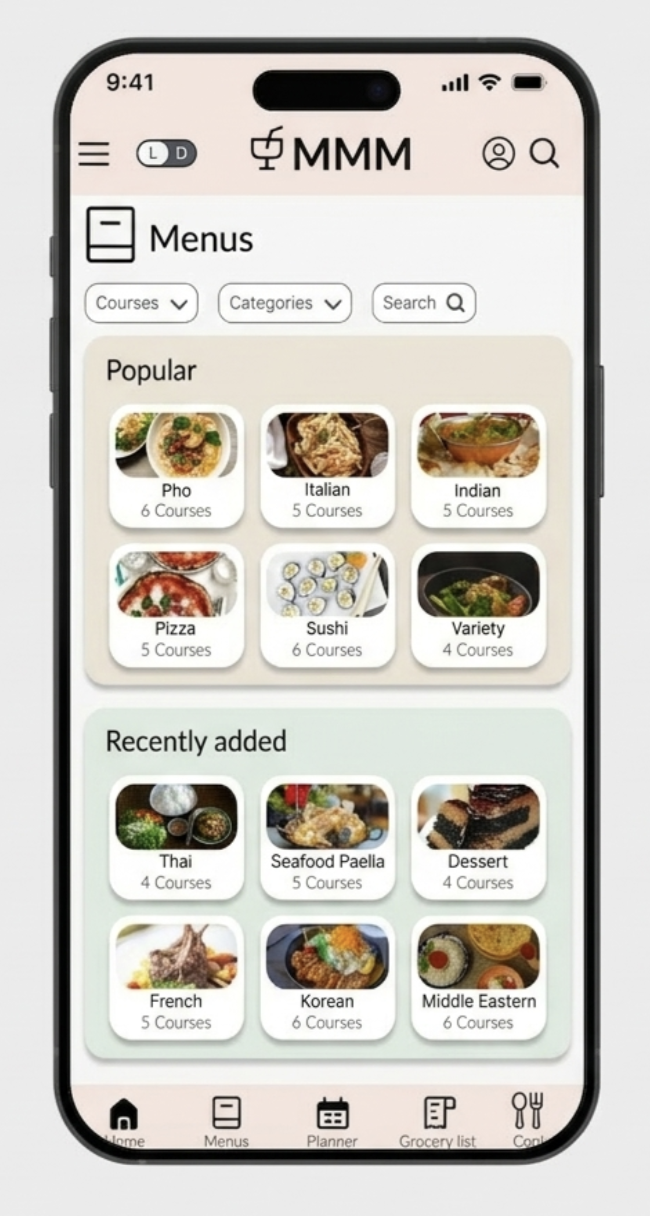
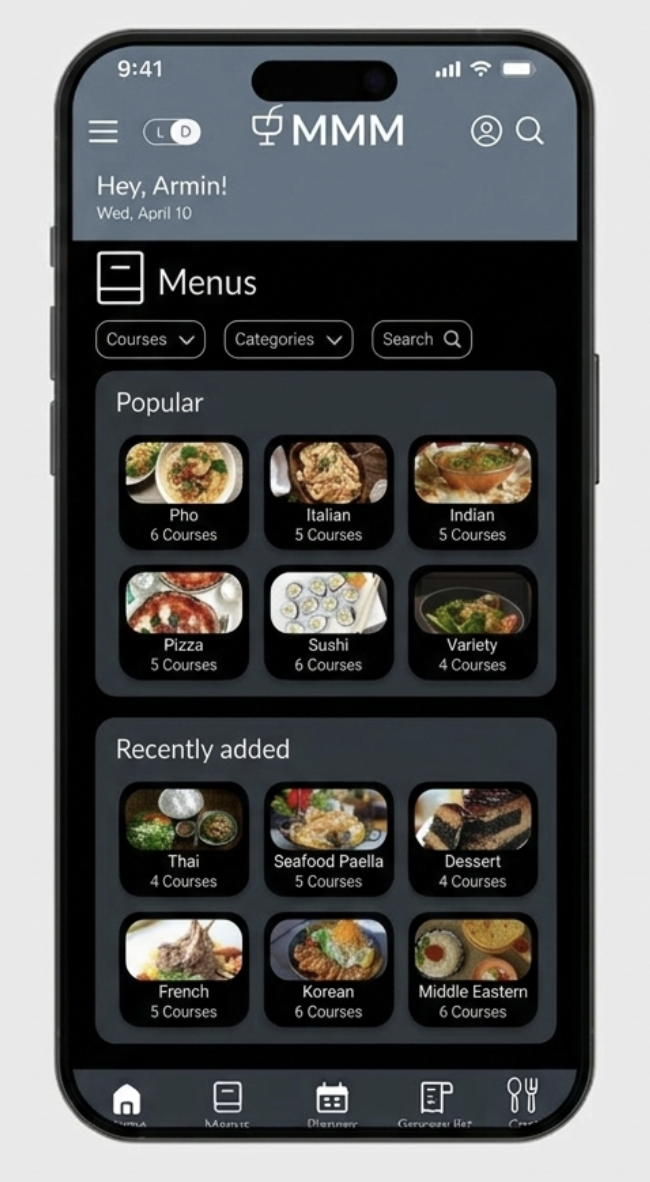
Pictured above: Menu Browse screens in both light (default), and dark modes
01. Overview
Major Meal Manager is a mobile app designed to guide users through the entire process of planning and preparing multi-course meals. From customizable menus and auto generated grocery lists to step-by-step video and written cooking instructions, the app provides a seamless end-to-end cooking experience.
02. The Problem
Cooking multi-course meals is mentally demanding. Users must juggle recipes, ingredient quantities, timing, and preparation steps across multiple apps, notes, or printed recipes. Existing meal-planning tools primarily focus on planning, but offer limited support once users enter the kitchen.
Key challenges identified:
Fragmented workflows between planning, shopping, and cooking
High cognitive load during active cooking
Poor support for timing and sequencing multiple dishes
Frequent context switching between recipes and tool
03. Research and Discovery
Initial research focused on understanding how people currently plan and cook multi-course meals. Interviews and observational insights revealed that users often:
Rely on multiple tools simultaneously (notes, videos, recipe sites)
Feel confident while planning but overwhelmed while cooking
Struggle to track timing and dependencies between dishes
Prioritize clarity and simplicity once cooking begins
These insights reinforced the need for a solution that supports users in real time, not just during planning.
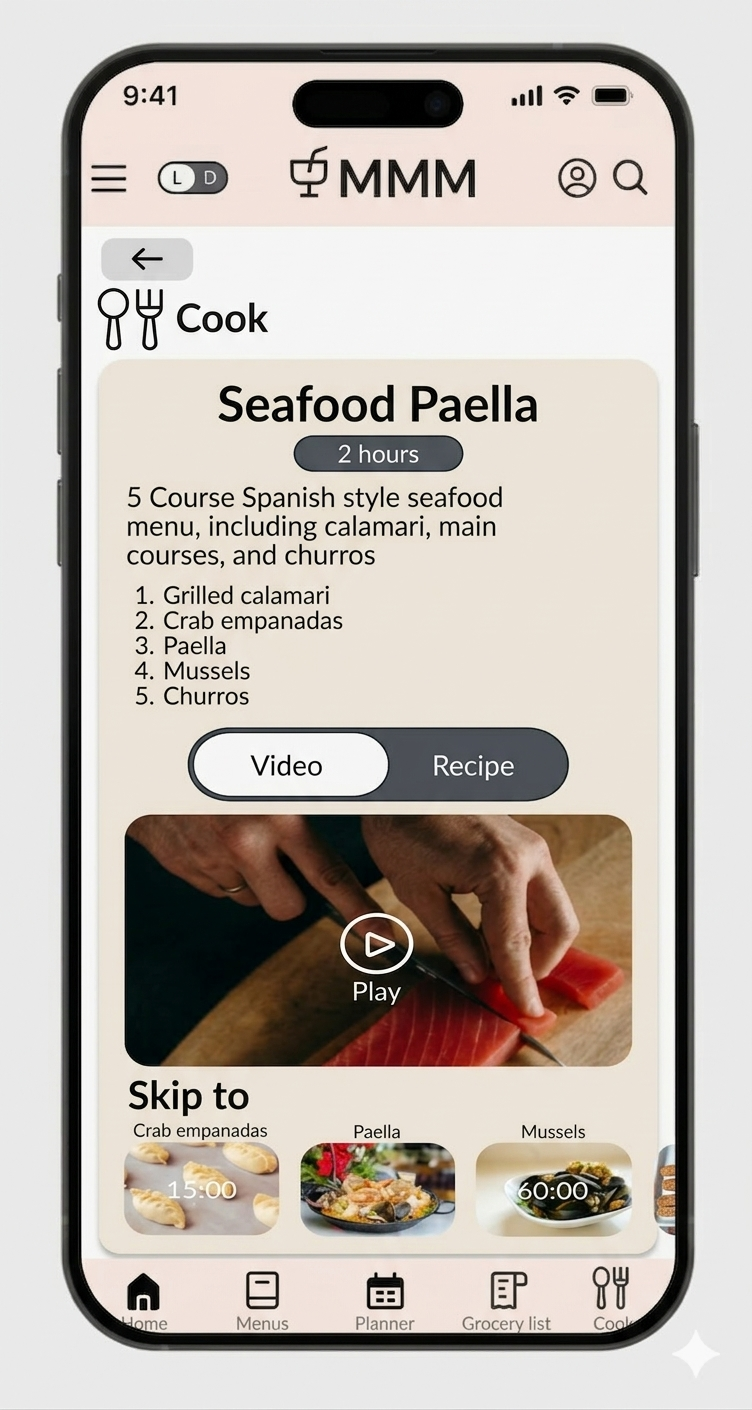
Pictured above: Cooking instructions with both video and text directions
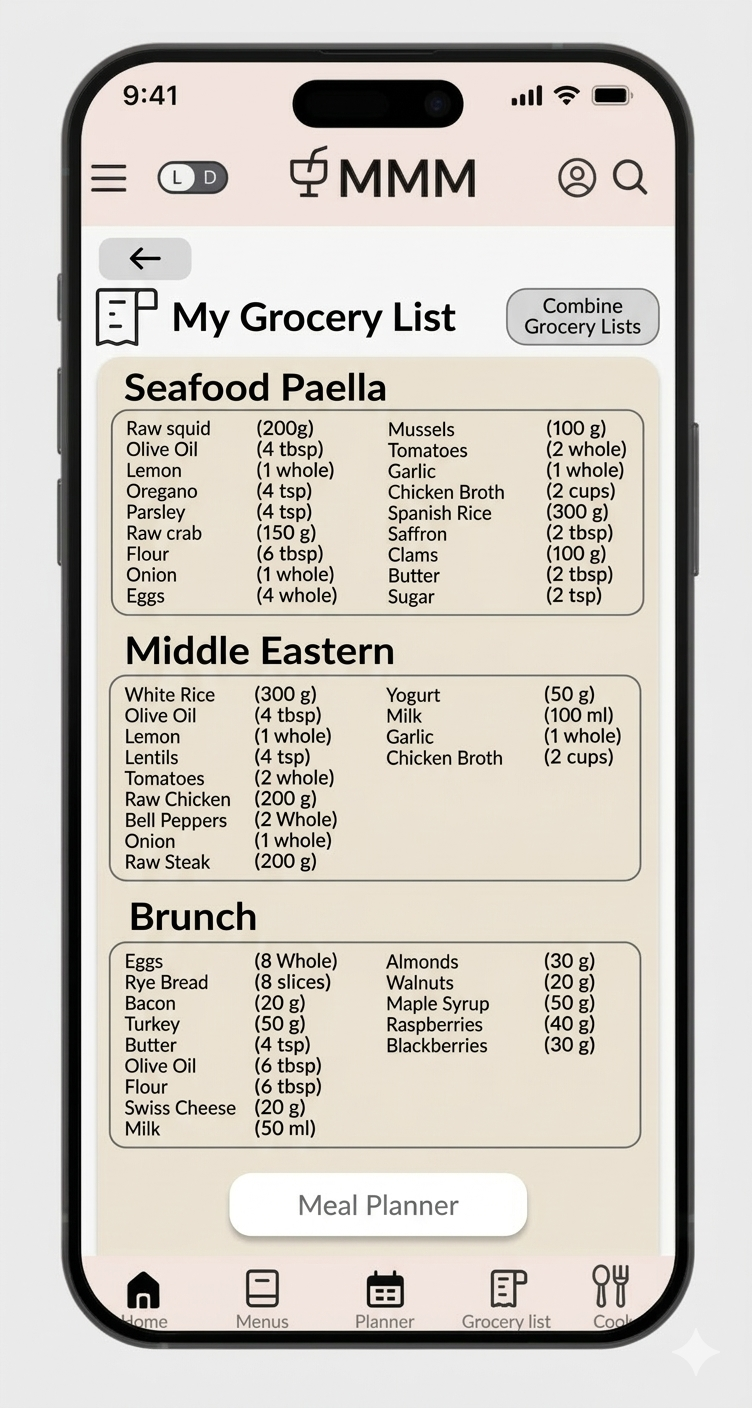
Right: Personalized grocery list
04. Menu Preview & Planner Integration
Users can preview full multi-course menus, quickly understand time commitments, and add menus to their planner without leaving the browsing flow. This supports confident decision-making with minimal friction.
05. Grocery List Consolidation
MMM automatically combines ingredients across selected menus into a single, organized grocery list. Grouping by menu maintains clarity while reducing the need for manual list management.
06. Cook Mode
Cook mode is optimized for in-kitchen use, offering step-by-step guidance through long, multi-course meals. Users can switch between video and written instructions, jump between courses, and track timing, all designed to minimize context switching during active cooking.
07. Dark Mode Toggle
A dark mode toggle was added to support low-light cooking environments and individual user preferences. Cooking often occurs under varied lighting conditions, and allowing users to quickly switch themes helps reduce eye strain and improve legibility during longer sessions. The toggle reinforces MMM’s focus on accessibility, comfort, and real world usability without disrupting the cooking flow.
Outcome
The Major Meal Manager prototype demonstrates how structured workflows can simplify the process of planning and preparing multi-course meals. By integrating menu planning, automated grocery lists, and guided cooking instructions into a single experience, the design reduces cognitive load and helps users stay organized throughout the cooking process. The project highlights how clear task sequencing and intuitive interactions can support complex real world activities like multi-dish meal preparation.